What happens if I lose my phone?
If your private key only lived on that phone and you did not export or back it up, you may lose that MNDO identity. That is the tradeoff of owning the key yourself.
USING MNDO
This guide is for the moment after installation, when you want to know what each screen means and what each button does.
Click screenshot to expand
01
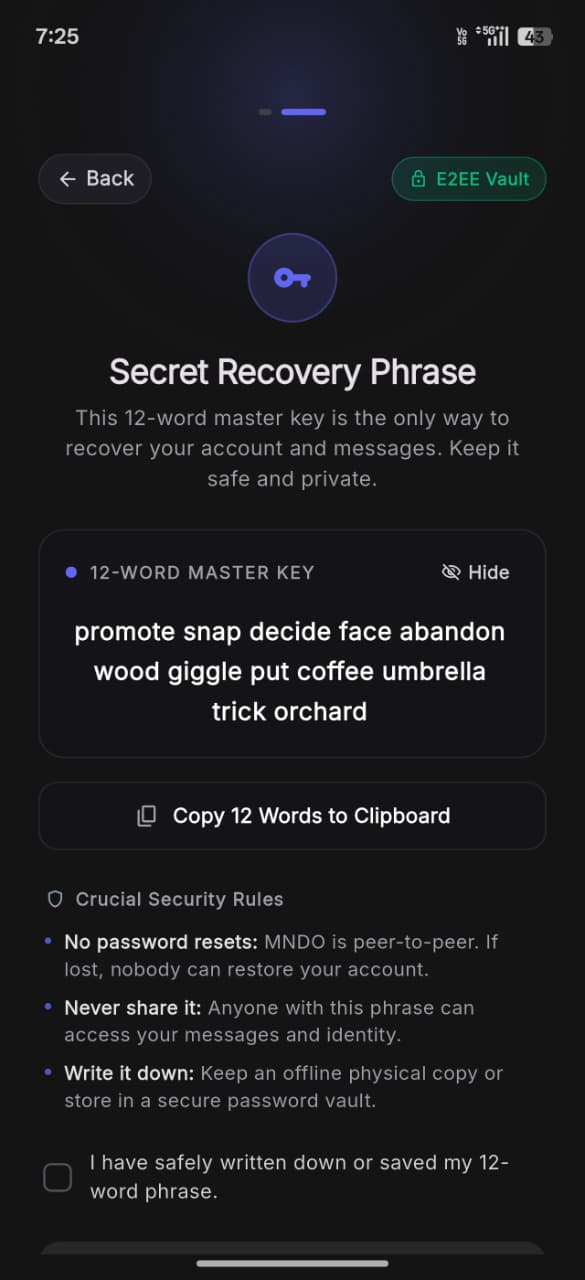
12-Word Master Key: MNDO generates an E2EE vault and a 12-word master phrase locally on your phone. This phrase is the only way to recover your account.
Zero Account Registration: No phone number, email address, or central signup is ever required. Your identity exists on-device before any network requests.
Crucial Security Rule: MNDO is peer-to-peer—there are no password resets. If your key is lost without a backup, nobody can restore your account.
Offline Custody: Copy your phrase to a safe offline location or physical paper. Anyone with this phrase has full access to your identity.
Click screenshot to expand
02
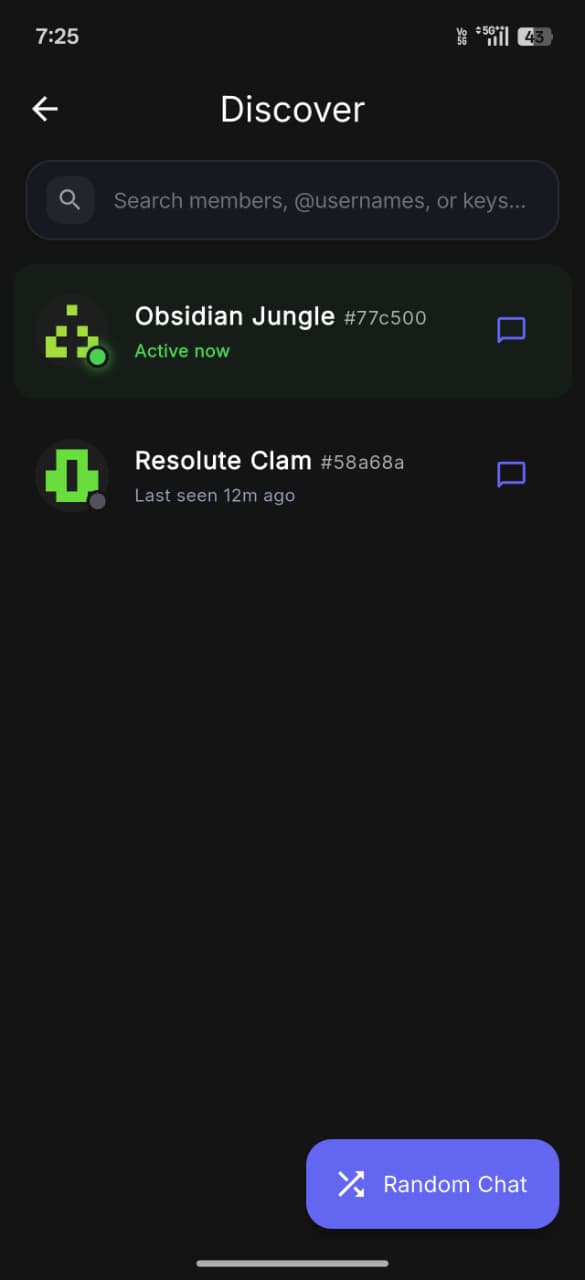
Unified Search: Search for peers by username, public key, or handle directly from the top search bar.
Live Presence Status: Green 'Active now' indicators and 'Last seen' timestamps reflect recent activity on the Nostr relay mesh.
Cryptographic Identicons: Deterministic visual avatars generated directly from public keys allow quick visual recognition of contacts.
Random Chat: Tap the Random Chat floating button to instantly match and initiate an encrypted conversation with an active peer.
Click screenshot to expand
03
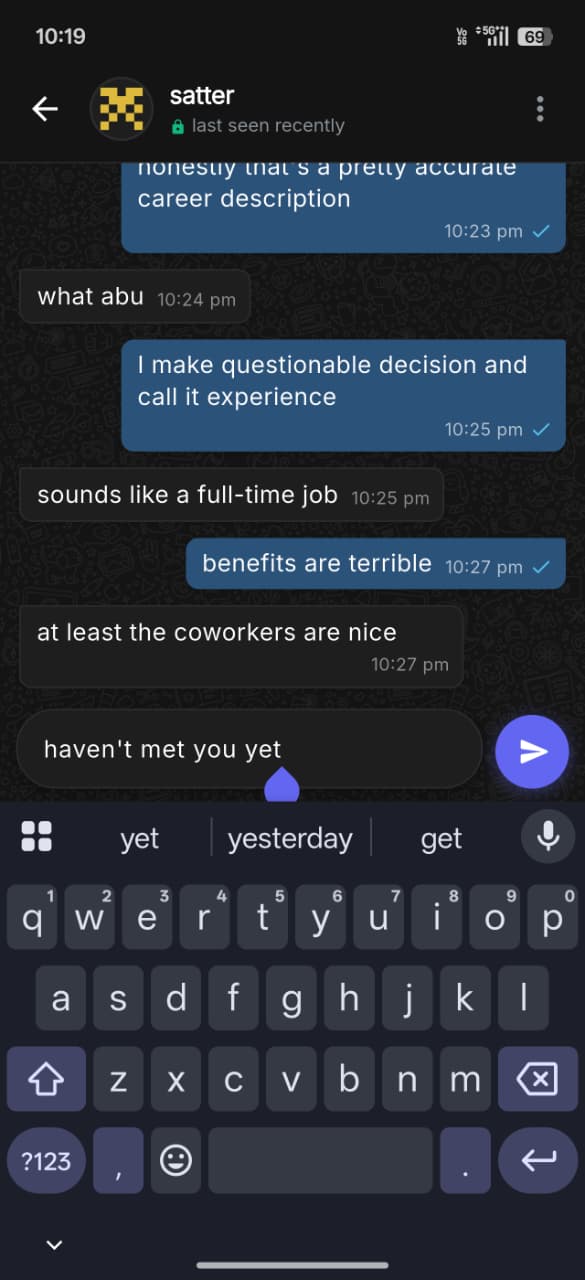
Signal Protocol Protection: The header displays a green lock indicator verifying that the session is secured by Double Ratchet end-to-end encryption.
Message Delivery Ticks: Single tick indicates the encrypted message reached the relay; double blue ticks confirm relay broadcast.
Zero Plaintext Transmission: All messages are encrypted locally using fresh ratcheted keys before sending. Relays only carry ciphertext.
Privacy by Default: No automated read receipts or invasive typing indicators are broadcast, preventing timing and behavioral metadata leakage.
Click screenshot to expand
04
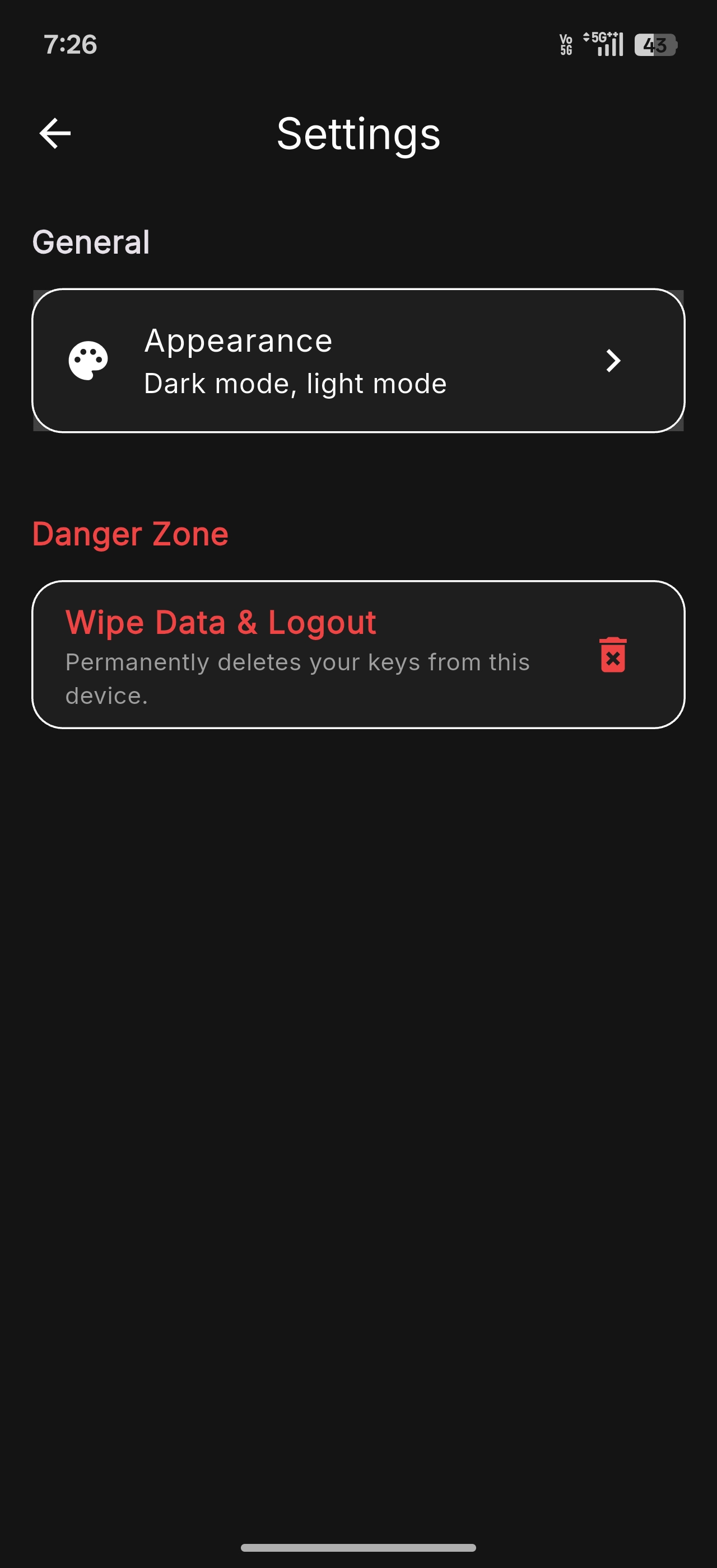
Appearance Controls: Toggle seamlessly between clean dark mode and light mode.
Danger Zone (Wipe Data & Logout): Permanently purges all secret keys, credentials, and encrypted SQLite message history from the device.
Instant Sovereign Deletion: Because MNDO uses no central database, wiping data is immediate, permanent, and does not require server deletion requests.
Expanding Controls: Additional settings for relay lists, notifications, and biometric locks will be added in upcoming beta updates.
FAQ
If your private key only lived on that phone and you did not export or back it up, you may lose that MNDO identity. That is the tradeoff of owning the key yourself.
The app architecture can support device identity and encrypted sessions, but multi-device behavior should be confirmed against the current beta before relying on it.
MNDO can use other Nostr relays. A relay is a carrier, not the owner of your account. If one fails, the app can continue through others when configured.